
To compare your electricity consumption against your EAC coverage and identify any procurement gaps, you can add your actual consumption data directly on the Climate Tech platform.
NOTE: If you do not see some sites, you can always create them. Click here to learn how.
To add actual consumption on the Climate Tech platform, you need to:
- Navigate to the organization page
- Scroll to the action button near the search bar.

- Select the 'Electricity consumption' option in the action menu.
- In the table on the screen, click the field you wish to add or edit.
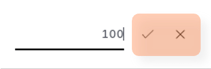
- Once done, click the ‘tick’ symbol. To cancel, press the ‘cross’ symbol.
- To learn how to compare procured volumes with actual consumption volume, click here.
Did not work as expected? Let us know here.