
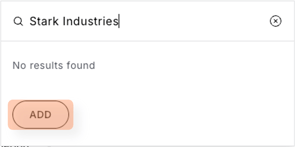
- If the search for the beneficiary returns no matches and displays 'No results found', you may proceed to create a new site.
- Click the 'Add' button to create a new site.
- Complete all mandatory fields, then click ‘Save and continue’ to move to the next step.
- Note: If you need to change the beneficiary’s name, click the pencil icon next to it and update the details as required.

- Note: If you need to change the beneficiary’s name, click the pencil icon next to it and update the details as required.
- Click 'Save details' when done.
If something doesn’t work as expected, please reach out to our support team here.