
Please note, that documents for trades completed with STX will be available for the bulk download from the STX Climate Tech platform
- Navigate to the Trades section of the STX Climate Tech platform from the main dashboard.
- Click the 'Export' button to see the list of available export options.

- Click the 'Download documents' option.
- From the following options: Displayed Trades, Certificates, Contracts, or Invoices, you should choose Certificates.
NOTE: By default, the download button will take all trades for the past 10 years. Should you need something different, please follow the filtering procedure. - Click 'Download' button to start the download process.
- The waiting message shall appear at the top part screen.
- Once the file is downloaded, the confirmation message shall appear on the screen.
NOTE: If the files did not download automatically, please use the 'Save File' button in the green box to manually initiate the download.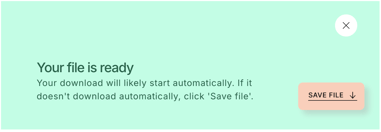
Didn't manage to download desired files? Please contact us here.