
- Navigate to the Trades section of the STX Climate Tech platform.

- Within the list of trades, find those marked “Missing information” in the Beneficiary columns and click the trade you want to update with redemption details.
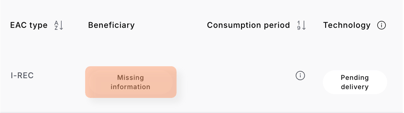
- In the trade details view, click the “+” icon next to the field labeled “Missing information.”
- Review the on-screen instructions carefully, then click “Ok, got it” to proceed.
- In the displayed field, begin typing the name of the desired site, then select it once it appears.
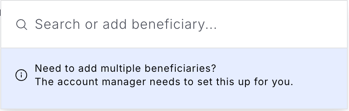
- If the site did not appear, learn how to add a new one here.
- If any required site details are missing, the corresponding fields will automatically appear on your screen.
- Specify the purpose of the EACs by confirming that the redemption is carried out on behalf of the selected site. The required fields will be displayed based on the registry from which the volumes are redeemed.
- Receive a confirmation email.
If something doesn’t work as expected, please reach out to our support team here.